
- 분류 전체보기 (155)

| 일 | 월 | 화 | 수 | 목 | 금 | 토 |
|---|---|---|---|---|---|---|
| 1 | 2 | 3 | ||||
| 4 | 5 | 6 | 7 | 8 | 9 | 10 |
| 11 | 12 | 13 | 14 | 15 | 16 | 17 |
| 18 | 19 | 20 | 21 | 22 | 23 | 24 |
| 25 | 26 | 27 | 28 | 29 | 30 | 31 |
- computer vision
- Linux
- RNN
- cs231n
- C++
- Data Science
- ROS2
- file system
- Humble
- Optimization
- 밑바닥부터 시작하는 딥러닝2
- On-memory file system
- CPP
- SQLD
- Baekjoon
- Gentoo2
- Python
- Seoul National University
- Operating System
- Process
- DFS
- assignment2
- BFS
- Machine Learning
- System Call
- ubuntu 22.04
- do it! 알고리즘 코딩테스트: c++편
- deep learning
- assignment1
- CNN
- Today
- Total
newhaneul
[Robocup@Home 2026] 2026.01.07-08 본문
Restaurant scenario
실제 레스토랑 처럼 보이기 위한 디테일한 요소 및 구매 해야 할 물품들 (당근 마켓 등 중고 거래도 찾아보기)
- 테이블 2개
- 의자
- 메뉴판
- 서빙 트레이
- 인테리어 조명 LED 무드등 https://smartstore.naver.com/uspiece/products/3529065568
- 수저 포크 4세트
- 식탁보 3개 https://smartstore.naver.com/poongpoongmarket/products/12227957833
- 인조 화분 https://smartstore.naver.com/morethan_green/products/9233482340
ROS2 환경 설정 (복습)
ROS2 명령어를 사용하기 위해서는 shell을 새로 열 때마다 아래 명령어를 실행해야 한다.
source /opt/ros/humble/setup.bash
그런데 이렇게 반복하는 것이 어려우므로, 새 터미널을 열면 자동으로 실행되도록 '~/.bashrc'에 작성해두면 편하다.
code ~/.bashrc

# ~/.bashrc: executed by bash(1) for non-login shells.
# see /usr/share/doc/bash/examples/startup-files (in the package bash-doc)
# for examples

# If not running interactively, don't do anything
case $- in
    *i*) ;;
      *) return;;
esac

# don't put duplicate lines or lines starting with space in the history.
# See bash(1) for more options
HISTCONTROL=ignoreboth

# append to the history file, don't overwrite it
shopt -s histappend

# for setting history length see HISTSIZE and HISTFILESIZE in bash(1)
HISTSIZE=1000
HISTFILESIZE=2000

# check the window size after each command and, if necessary,
# update the values of LINES and COLUMNS.
shopt -s checkwinsize

# If set, the pattern "**" used in a pathname expansion context will
# match all files and zero or more directories and subdirectories.
#shopt -s globstar

# make less more friendly for non-text input files, see lesspipe(1)
[ -x /usr/bin/lesspipe ] && eval "$(SHELL=/bin/sh lesspipe)"

# set variable identifying the chroot you work in (used in the prompt below)
if [ -z "${debian_chroot:-}" ] && [ -r /etc/debian_chroot ]; then
    debian_chroot=$(cat /etc/debian_chroot)
fi

# set a fancy prompt (non-color, unless we know we "want" color)
case "$TERM" in
    xterm-color|*-256color) color_prompt=yes;;
esac

# uncomment for a colored prompt, if the terminal has the capability; turned
# off by default to not distract the user: the focus in a terminal window
# should be on the output of commands, not on the prompt
#force_color_prompt=yes

if [ -n "$force_color_prompt" ]; then
    if [ -x /usr/bin/tput ] && tput setaf 1 >&/dev/null; then
	# We have color support; assume it's compliant with Ecma-48
	# (ISO/IEC-6429). (Lack of such support is extremely rare, and such
	# a case would tend to support setf rather than setaf.)
	color_prompt=yes
    else
	color_prompt=
    fi
fi

if [ "$color_prompt" = yes ]; then
    PS1='${debian_chroot:+($debian_chroot)}\[\033[01;32m\]\u@\h\[\033[00m\]:\[\033[01;34m\]\w\[\033[00m\]\$ '
else
    PS1='${debian_chroot:+($debian_chroot)}\u@\h:\w\$ '
fi
unset color_prompt force_color_prompt

# If this is an xterm set the title to user@host:dir
case "$TERM" in
xterm*|rxvt*)
    PS1="\[\e]0;${debian_chroot:+($debian_chroot)}\u@\h: \w\a\]$PS1"
    ;;
*)
    ;;
esac

# enable color support of ls and also add handy aliases
if [ -x /usr/bin/dircolors ]; then
    test -r ~/.dircolors && eval "$(dircolors -b ~/.dircolors)" || eval "$(dircolors -b)"
    alias ls='ls --color=auto'
    #alias dir='dir --color=auto'
    #alias vdir='vdir --color=auto'

    alias grep='grep --color=auto'
    alias fgrep='fgrep --color=auto'
    alias egrep='egrep --color=auto'
fi

# colored GCC warnings and errors
#export GCC_COLORS='error=01;31:warning=01;35:note=01;36:caret=01;32:locus=01:quote=01'

# some more ls aliases
alias ll='ls -alF'
alias la='ls -A'
alias l='ls -CF'

# Add an "alert" alias for long running commands.  Use like so:
#   sleep 10; alert
alias alert='notify-send --urgency=low -i "$([ $? = 0 ] && echo terminal || echo error)" "$(history|tail -n1|sed -e '\''s/^\s*[0-9]\+\s*//;s/[;&|]\s*alert$//'\'')"'

# Alias definitions.
# You may want to put all your additions into a separate file like
# ~/.bash_aliases, instead of adding them here directly.
# See /usr/share/doc/bash-doc/examples in the bash-doc package.

if [ -f ~/.bash_aliases ]; then
    . ~/.bash_aliases
fi

# enable programmable completion features (you don't need to enable
# this, if it's already enabled in /etc/bash.bashrc and /etc/profile
# sources /etc/bash.bashrc).
if ! shopt -oq posix; then
  if [ -f /usr/share/bash-completion/bash_completion ]; then
    . /usr/share/bash-completion/bash_completion
  elif [ -f /etc/bash_completion ]; then
    . /etc/bash_completion
  fi
fi

source /opt/ros/humble/setup.bash
export ROS_DOMAIN_ID=30

alias sb='source ~/.bashrc'
alias humble='source /opt/ros/humble/setup.bash'
ros2 pkg 명령어를 사용하면 실행 가능한 노드들을 확인할 수 있다. 아래는 turtlesim 패키지 내의 모든 실행 파일 목록을 보여준다.
newhaneul@newhaneul-950QDB:~$ ros2 pkg executables turtlesim
turtlesim draw_square
turtlesim mimic
turtlesim turtle_teleop_key
turtlesim turtlesim_node
1. Node
ROS2 시스템은 Node, Topic, Service, Action 등으로 구성 요소들이 연결된 그래프 구조로 구성된다. 이 그래프는 데이터 흐름과 기능 분리를 시각적으로 보여준다.
| 노드(Node) | 기능 단위 프로세스 (ex. 모터 제어, 센서 읽기) |
| 토픽(Topic) | 메시지를 주고받는 채널 |
| 서비스(Service) | 요청-응답 형태 통신 |
| 액션(Action) | 장시간 걸리는 작업을 중간 피드백과 함께 처리 |
2. Topic
ROS2 시스템에서 Topic은 노드 간 메시지 기반 데이터 전달의 중심 통로이다. Publisher는 토픽에 메시지를 발행하고, Subscriber는 해당 메시지를 수신한다. 주로 비동기적, 지속적인 데이터 흐름에 사용되고, ROS2 그래프에서는 Node와 Topic이 연결된 형태로 나타나며, 데이터의 흐름을 분석할 수 있다.
| Topic | 비동기 (발행-구독) | 센서 데이터, 위치 | 지속적 데이터 스트림 |
| Service | 동기 (요청-응답) | 거북이 생성, 화면 초기화 | 명령 전달 |
| Action | 장기 비동기 + 피드백 | 특정 목표 위치까지 이동 | 긴 작업 수행 |
아래의 명령어는 turtlesim 노드에서 발행하는 거북이의 위치 정보 Publisher인 '/turtle1/pose'가 얼마나 자주, 그리고 안정적으로 전송되고 있는지를 확인하는 분석 결과이다.
- 평균 주파수 (average rate): 약 62.5 Hz (1초에 62.5회 메시지 발행)
- 통신 주기 (min / max): 약 0.015s~0.017s 사이마다 한 번씩 데이터를 보내고 있다.
- 샘플 개수(window): 평균을 계산하기 위해 사용된 최근 메시지의 개수
newhaneul@newhaneul-950QDB:~$ ros2 topic hz /turtle1/pose
average rate: 62.517
	min: 0.015s max: 0.017s std dev: 0.00052s window: 64
average rate: 62.520
	min: 0.015s max: 0.017s std dev: 0.00051s window: 127
average rate: 62.518
	min: 0.015s max: 0.017s std dev: 0.00050s window: 190
RB-Y1 Robot Example:
- LiDAR 센서 (/scan): 장애물이 있는지 없는지 0.01초마다 계속 쏴준다.
- 관절 상태 (/joint_states): 현재 팔이 몇 도 꺾여있는지 계속해서 방송한다.
- 카메라 영상 (/image_row): 초당 30장씩 이미지를 보낸다.
3. Service
Topic이 실시간 스트림 기반이라면, Service는 요청 시에만 데이터를 전송한다. 일반적으로 하나의 클라이언트가 서비스 서버에 요청을 보내고 응답을 기다리는 구조이다.
그래서 센서로부터 연속적인 실시간 정보를 받아야할 때는 Topic을 사용해야 하고, 초기화나 가끔가다 실행해야 하는 명령어는 Service로 구현해야 한다.
| 통신 방식 | 비동기, 지속 스트림 | 동기, 요청-응답 |
| 연결 구조 | Publisher ↔ Subscriber | Client ↔ Service Server |
| 데이터 흐름 | 주기적/이벤트 기반 발행 | 요청 시에만 처리 |
| 사용 목적 | 센서 데이터 등 실시간 정보 | 명령 실행, 초기화, 생성 등 |
| 예시 | 위치 정보 지속 전송 | 거북이 스폰, 화면 초기화 |
RB-Y1 Robot Example:
- 센서 영점 조절 (/reset_sensor): 지금 위치를 0으로 잡으라고 명령하면, 로봇이 세팅 진행
- 모터 켜기/끄기
4. Action
Action은 장시간 실행되는 작업을 위한 ROS2의 통신 방식이다. 서비스는 요총하면 바로 응답을 주지만, Action은 오래 걸리는 작업을 할 때 중간 피드백도 주고, 취소도 가능하게 만든 구조이다.
- 목표(Goal): "부엌으로 가" (Service처럼 시작)
- 피드백(Feedback): "가는 중... 10%... 50%... 장애물 피하는 중..." (Topic처럼 실시간 보고)
- 결과(Result): "도착 완료!" (Service처럼 끝맺음)
- 중단(Cancel): 가는 도중에 "취소해!"라고 가능
RB-Y1 Robot Example:
- 이동 (Navigation): 목적지까지 가는데 시간이 걸리므로 Action 사용
- 팔 움직임 (MoveIt): 팔을 들어 올릴 때 궤적을 따라 시간이 걸리므로 Action을 사용
5. Parameters
Parameter는 노드의 설정 값을 의미한다. 노드는 정수, 실수, 불리언, 문자열, 리스트 등의 값을 parameter로 보유할 수 있다. 각 노드는 고유한 parameter 공간을 가지며, 런타임에 조회, 변경, 저장, 재설정이 가능하다.
목록 조회
newhaneul@newhaneul-950QDB:~$ ros2 param list
/turtlesim:
  background_b
  background_g
  background_r
  qos_overrides./parameter_events.publisher.depth
  qos_overrides./parameter_events.publisher.durability
  qos_overrides./parameter_events.publisher.history
  qos_overrides./parameter_events.publisher.reliability
  use_sim_time
개별 확인
newhaneul@newhaneul-950QDB:~$ ros2 param get /turtlesim background_b
Integer value is: 255
값 변경
newhaneul@newhaneul-950QDB:~$ ros2 param set /turtlesim background_b 150
Set parameter successful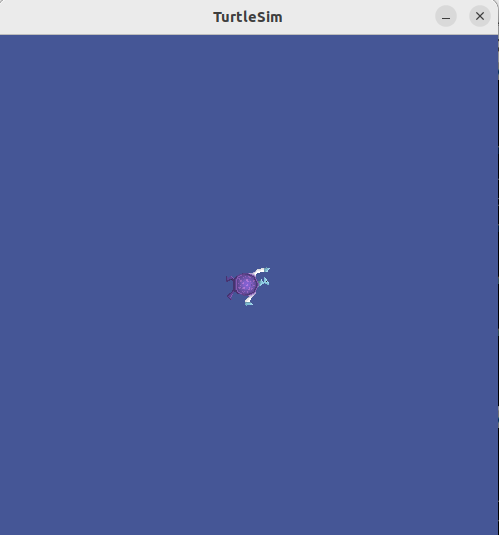
값 저장
newhaneul@newhaneul-950QDB:~$ ros2 param dump /turtlesim
/turtlesim:
  ros__parameters:
    background_b: 150
    background_g: 86
    background_r: 69
    qos_overrides:
      /parameter_events:
        publisher:
          depth: 1000
          durability: volatile
          history: keep_last
          reliability: reliable
    use_sim_time: false

newhaneul@newhaneul-950QDB:~$ ros2 param dump /turtlesim > turtlesim_params.yaml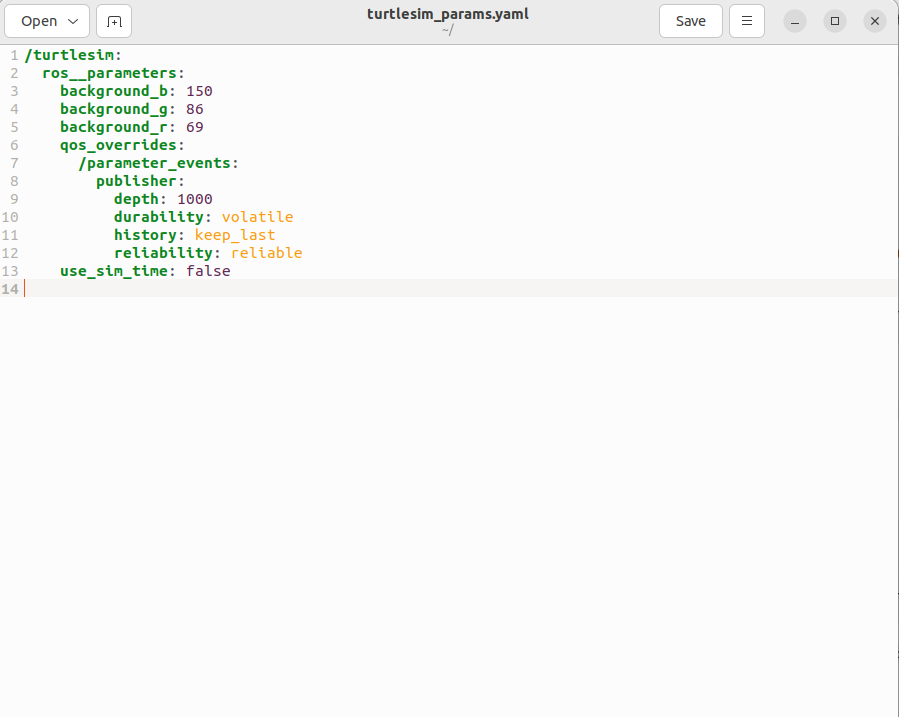
저장된 파라미터 파일 불러오기
newhaneul@newhaneul-950QDB:~$ ros2 param load /turtlesim ./turtlesim_params.yaml
Set parameter background_b successful
Set parameter background_g successful
Set parameter background_r successful
Set parameter qos_overrides./parameter_events.publisher.depth failed: parameter 'qos_overrides./parameter_events.publisher.depth' cannot be set because it is read-only
Set parameter qos_overrides./parameter_events.publisher.durability failed: parameter 'qos_overrides./parameter_events.publisher.durability' cannot be set because it is read-only
Set parameter qos_overrides./parameter_events.publisher.history failed: parameter 'qos_overrides./parameter_events.publisher.history' cannot be set because it is read-only
Set parameter qos_overrides./parameter_events.publisher.reliability failed: parameter 'qos_overrides./parameter_events.publisher.reliability' cannot be set because it is read-only
Set parameter use_sim_time successful
노드 실행 시 파라미터 파일 로드
newhaneul@newhaneul-950QDB:~$ ros2 run turtlesim turtlesim_node --ros-args --params-file ./turtlesim_params.yaml
Warning: Ignoring XDG_SESSION_TYPE=wayland on Gnome. Use QT_QPA_PLATFORM=wayland to run on Wayland anyway.
[INFO] [1767861716.445059940] [turtlesim]: Starting turtlesim with node name /turtlesim
[INFO] [1767861716.447740793] [turtlesim]: Spawning turtle [turtle1] at x=[5.544445], y=[5.544445], theta=[0.000000]
'2. Artificial Intelligence > Project' 카테고리의 다른 글
| [Robocup@Home 2026] 2026.01.06 (0) | 2026.01.07 |
|---|---|
| [Robocup@Home 2026] 2026.01.05 (0) | 2026.01.05 |
| [Robocup@Home 2026] 2026.01.02 (0) | 2026.01.02 |
| [Robocup@Home 2026] 2025.12.31 (0) | 2026.01.01 |
| [Robocup@Home 2026] 2025.12.30 (0) | 2025.12.31 |


